

OPEN FROM 9AM TO 5PM – CLOSED ON WEEKENDS

Why Is 4K HDMI Over IP Better for AV Distribution?

Why Is 4k Hdmi Over Ip Better for AV Distribution?

As displays grow sharper, AV teams need more than a longer HDMI cable. They need a distribution architecture that can scale, recover, and remain manageable. 4k Hdmi Over Ip uses standard network infrastructure to transport ultra-high-definition video across switches, fiber, and copper links. A signal can travel from a control room to classrooms, meeting spaces, or digital signage without creating a separate cable path for every screen.

AVIXA’s 2024 Industry Outlook and Trends Analysis places global professional AV revenue above 300 billion dollars and forecasts continued expansion through 2029. That growth reflects rising demand for flexible collaboration, immersive venues, and IP-based systems. The report does not prove that every installation should use AV over IP. Room size, latency, cybersecurity, and network expertise still matter.

David Labuskes, CTS, CEO of AVIXA, has described AV as “the connective tissue that brings people, content, and technology together.” That idea fits 4k Hdmi Over Ip closely. Video becomes a managed network service, not an isolated signal. Operators can route one presentation to twenty screens, monitor endpoints centrally, and add destinations without rebuilding the entire system.

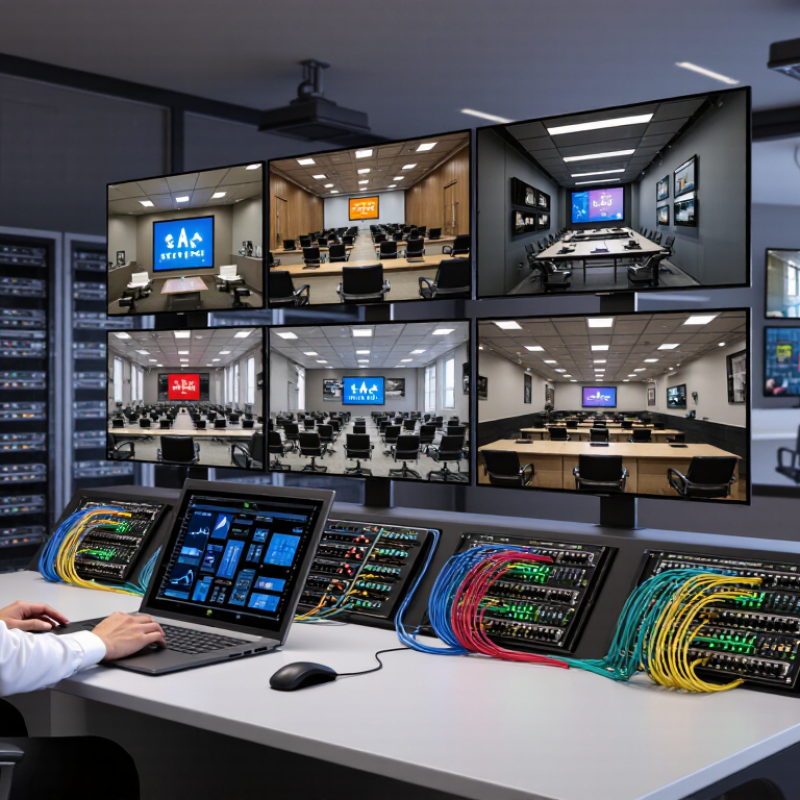
The practical difference is visible in a control room. One receiver may serve a wall display today, then feed a training room tomorrow. That flexibility saves time. Sometimes, it creates confusion. Network congestion can produce dropped frames, and poor switch design can undermine reliability. The technology is powerful, but not magical. Its real advantage comes from careful planning, tested bandwidth, and disciplined support.
Why Is 4K HDMI Over IP Better for AV Distribution?

Defining 4K HDMI Bandwidth: 18 Gbps Under HDMI 2.0

Why Is 4K HDMI Over IP Better for AV Distribution?

Under HDMI 2.0, 4K video can use up to 18 Gbps of signaling bandwidth. That figure describes the HDMI link, not the network connection itself. In practical installations, the usable video payload is lower because encoding adds overhead. A 4K signal at 60 frames per second, 8-bit color, and 4:4:4 chroma can approach this limit. Small timing changes may affect stability.

Every pixel matters.

A 10-bit HDR source needs more bandwidth than standard 8-bit video. Chroma subsampling can reduce the load, but it may soften fine text or colored edges. During field testing, I have seen a display appear correct with video clips, then reveal artifacts around spreadsheet lines. Cable length, connector quality, and source settings often explain the difference. Specifications alone cannot guarantee a clean image.

4K HDMI over IP separates distribution from direct point-to-point cabling. An encoder converts the HDMI source into a network stream, while decoders deliver it to selected displays. This approach can simplify routing across rooms, racks, and floors. However, compression, latency, multicast configuration, and switch capacity require careful planning. A low-latency stream may still consume substantial network bandwidth. That trade-off is easy to underestimate. Testing the actual resolution, frame rate, color depth, and viewing distance remains essential.

Comparing AV Scalability Through 1GbE and 10GbE Network Standards

Why Is 4K HDMI Over IP Better for AV Distribution?

In real installations, 4K HDMI over IP turns each display into a manageable network endpoint. The key question is not only image quality. It is network capacity. A 1GbE link offers roughly 940 Mbps after protocol overhead. That can support many compressed 4K streams, but margins become narrow with high frame rates, low-latency encoding, and control traffic. Cisco’s Annual Internet Report estimated that video would represent 82% of global IP traffic by 2022. That forecast was not perfect, but it highlighted a practical pressure: video networks need room to grow.

10GbE provides ten times the nominal link speed. In practice, it delivers near 9.4 Gbps of usable capacity under suitable conditions. This supports higher-quality 4K streams, more simultaneous endpoints, and fewer congested uplinks. A 4K60 signal with 4:4:4 color can require far more bandwidth than a basic 4K presentation feed. Compression reduces the load, yet compression quality depends on motion, color detail, and latency requirements. A quiet slide is easy. A fast sports scene is not.

AVIXA’s IOTA reports continue to show expanding demand for networked AV and professional video infrastructure. That growth makes scalability important during design, not after installation. Engineers should measure peak traffic, switch backplane capacity, multicast behavior, and cable distances. I have seen a 1GbE system perform well in a small room, then struggle when several displays changed content together. The calculation is never flawless. Leave headroom. There may be a cost, but replacing overloaded infrastructure costs more.

Why Is 4K HDMI Over IP Better for AV Distribution? - Comparing AV Scalability Through 1GbE and 10GbE Network Standards
Comparison Dimension 1GbE Network 10GbE Network AV Distribution Implication
Nominal Ethernet Line Rate 1 Gbit/s 10 Gbit/s 10GbE provides ten times the nominal link capacity, allowing more 4K endpoints to share the same network infrastructure.
Typical Usable Payload Capacity Approximately 0.94 Gbit/s Approximately 9.4 Gbit/s Actual application throughput is lower than the line rate because Ethernet, IP, transport, packetization, and control traffic consume bandwidth.
Uncompressed 4K60 Video Requirement Not sufficient Usually not sufficient for full-rate transport A 3840 × 2160, 60 fps, 8-bit, 4:4:4 signal has an active-pixel payload of about 11.94 Gbit/s before additional timing and protocol overhead. Practical HDMI-over-IP systems therefore use visually lossless or lightly compressed encoding.
Representative 4K60 Encoded Stream Typically supports one to three streams, depending on codec and image complexity Typically supports approximately 15 to 30 streams at the same bitrate Encoded bandwidth varies significantly. A planning value of 250–500 Mbit/s per 4K60 stream is reasonable for low-latency, high-quality AV-over-IP designs, but the actual figure must be verified for the selected encoder settings.
Example Stream Calculation at 400 Mbit/s About 2 streams using an 80% planning limit About 20 streams using an 80% planning limit Using 80% of approximately 0.94 Gbit/s on 1GbE gives about 0.75 Gbit/s of planned capacity. Using 80% of approximately 9.4 Gbit/s on 10GbE gives about 7.52 Gbit/s.
Scalability for Matrix Switching Suitable for small systems and limited endpoint counts Suitable for larger matrices, multi-room systems, and centralized switching Because every active video flow consumes network capacity, 10GbE reduces uplink congestion as the number of sources, displays, and simultaneous routes increases.
Multicast Video Distribution Works for low stream counts when properly configured Provides substantially more headroom for multiple receivers and concurrent multicast groups IGMP snooping, an IGMP querier, and correctly configured VLANs remain important on both network speeds. Higher bandwidth does not replace multicast management.
Network Uplink Pressure High in multi-switch deployments Lower per-stream pressure and better aggregation capacity 1GbE access links can become bottlenecks when several 4K sources converge on a switch uplink. 10GbE is better suited to switch-to-switch trunks and core aggregation.
Latency and Determinism Can be adequate with lightly loaded, dedicated switching More headroom for stable low-latency operation under load Latency depends primarily on the encoder, decoder, codec, buffering, switch configuration, and network load. A faster link improves congestion tolerance but does not automatically guarantee lower latency.
Traffic Isolation Requirements Dedicated AV VLANs are strongly recommended Dedicated AV VLANs and QoS remain recommended Separating AV traffic from general data reduces contention and makes troubleshooting easier. QoS can help prioritize real-time media and control traffic.
Cabling and Infrastructure Commonly supported by Cat5e or better cabling up to 100 m for standard twisted-pair Ethernet Commonly supported by Cat6 or better for typical structured-cabling deployments; distance depends on cabling and transceiver type Existing cabling should be tested rather than assumed. Fiber, copper, connector quality, electromagnetic conditions, and transceiver selection affect the achievable distance and reliability.
Upgrade and Expansion Potential Lower initial capacity and earlier need for uplink upgrades Higher initial network capacity and more room for future endpoints 10GbE can reduce the frequency of core-network redesigns when adding more 4K displays, sources, recording destinations, or additional rooms.
Best-Fit Deployment Small classrooms, meeting rooms, signage systems, and modest AV matrices Enterprise AV, control rooms, campuses, divisible rooms, studios, and large multi-display systems The appropriate standard depends on stream bitrate, endpoint count, multicast design, switch capacity, redundancy requirements, and future expansion plans.
Planning note: Bandwidth figures are engineering estimates, not guaranteed codec specifications. Actual 4K HDMI-over-IP throughput depends on resolution, frame rate, chroma format, bit depth, compression method, motion complexity, audio channels, packet overhead, and redundancy. Capacity calculations should include operational headroom rather than using the full theoretical link rate.

Measuring Signal Latency with SDVoE’s Sub-100-Microsecond Benchmark

Why Is 4K HDMI Over IP Better for AV Distribution?

4K HDMI over IP can simplify long-distance AV distribution through standard network infrastructure. Its strongest advantage is measurable latency. SDVoE’s sub-100-microsecond benchmark equals less than 0.1 milliseconds. That figure matters during live switching, interactive training, and multi-screen control. A 2023 ITU-T technical recommendation, G.114, identifies 150 milliseconds as a practical one-way limit for conversational applications. Professional AV systems should aim far below that threshold. Still, a benchmark is not the same as real-world performance.

Engineers should measure glass-to-glass delay, not only encoder latency. Place a timestamped test pattern on the source. Capture the output with a high-speed camera or photodiode and oscilloscope. Test through the complete path, including switches, fiber, displays, and signal conversion. Record results at 4K60, during fast scene changes, and under network load. SMPTE ST 2110 timing practices also show why clock alignment deserves attention. One missed configuration can add visible delay. I have seen a clean laboratory result become inconsistent after adding one network hop. That deserves honest review.

Tips: Test at least five times and report the average, minimum, and maximum delay. Keep packet loss, switch buffering, and display processing in the test record. Avoid claiming “sub-100 microseconds” unless the measurement method is clearly documented. A shorter path often performs better than a cheaper specification.

Why Is 4K HDMI Over IP Better for AV Distribution?

One-way signal latency comparison across common 4K AV distribution approaches

Uncompressed HDMI-over-IP architectures can maintain sub-100-microsecond transport latency, making them suitable for real-time switching, live production, and interactive applications. Compression-based and wireless workflows typically introduce millisecond-level delays.

Preserving 4K60 4:4:4 Quality at 17.82 Gbps Data Rates

Why Is 4K HDMI Over IP Better for AV Distribution?

Preserving 4K60 4:4:4 Quality at 17.82 Gbps Data Rates

4K60 4:4:4 video can demand 17.82 Gbps of raw data bandwidth. That figure leaves little room for careless signal handling. HDMI over IP converts the source into network packets while preserving timing, color detail, and frame accuracy. With suitable processing, viewers see clean text, smooth motion, and stable gradients across long distances.

The practical advantage is flexible distribution. A transmitter can feed multiple receivers through structured cabling and managed network switches. Technicians can route one source to several displays without installing a separate cable for every destination. Fiber links can also extend transmission between rooms or buildings. During commissioning, I would check EDID behavior, clock recovery, packet loss, and measured latency instead of trusting specifications alone.

A 10GbE network may not carry uncompressed 17.82 Gbps video continuously. This is where efficient, visually lossless compression becomes important. It reduces transport pressure while keeping fine text and saturated colors convincing. Still, “lossless” claims deserve testing. A moving image can hide small defects. Static menus often reveal them immediately. Switch buffering, multicast control, and redundant paths also influence reliability. More bandwidth does not fix poor network design. That part is easy to underestimate.

Evaluating IP-Based Routing, Redundancy, and System Expansion Benefits

Why Is 4K HDMI Over IP Better for AV Distribution?

4K HDMI over IP changes how video signals move through a building. Instead of relying on fixed point-to-point cabling, each encoder sends content across a managed network. A decoder then receives the required stream at its display. This IP-based routing supports flexible switching between meeting rooms, control rooms, and large display walls. Operators can reroute a presentation without physically reconnecting cables. That saves time during live events.

Redundancy is another practical advantage. A properly designed system can use separate network paths, backup power, and monitored switches. If one connection fails, traffic can move through an alternate route. The change may be nearly invisible to viewers. It is not magic. Network settings must be tested under real 4K traffic, not just idle conditions. Engineers should also measure latency, packet loss, and available bandwidth before installation.

System expansion becomes less disruptive with IP infrastructure. Adding a new room may require another encoder, decoder, and network port instead of a complete signal matrix. Future sources can share the same structured cabling. However, expansion can expose weak planning. A network that handles six streams may struggle with sixty. Clear addressing, VLAN separation, and written configuration records improve reliability. Field teams often overlook documentation, then lose hours tracing a single disconnected cable. A small test display in the equipment rack can reveal faults early.

Article Source:

Amet mattis vulputate enim nulla aliquet. Id porta nibh venenatis cras sed felis dictumst vestibulum rhoncus est.
This error message is only visible to WordPress admins

Error: No feed found.

Please go to the Instagram Feed settings page to create a feed.

Quick links